
In this article
Company press rooms on websites should be more than a list of press releases and news articles. If done well, the press room can augment stories and give a reporter more depth. If done really well, the press room can drive stories by itself.
I combed through* over 30 press rooms created by edtech companies and educational institutions hoping to find good examples of press room sophistication. Nearly a third of these companies either didn’t have a press room, or had a 404 error. Nearly half were simply a list of either press releases, or news releases, or a mix of assets that lacked any organization. Only 7 of the 30 could really serve as a press room, providing resources a reporter might use in a story.
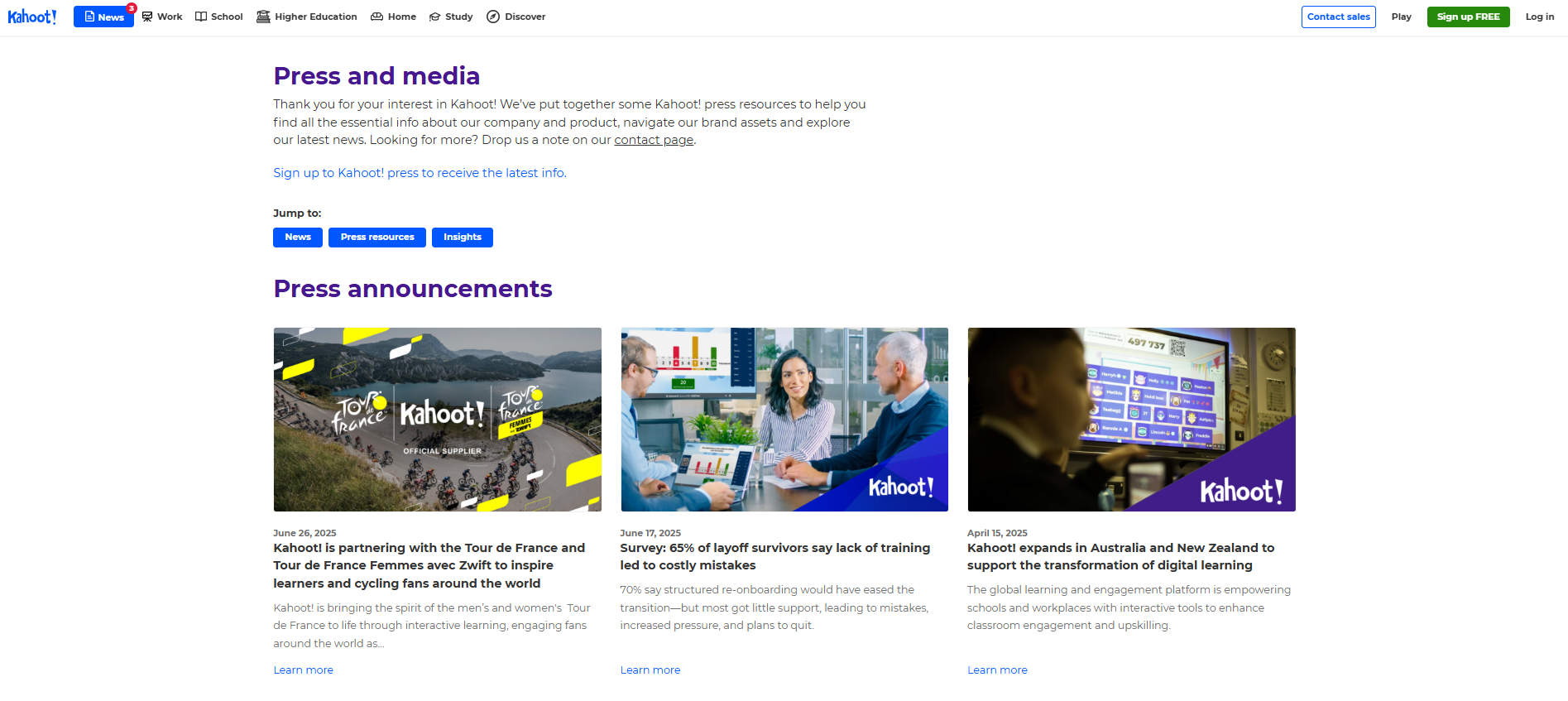
Of those from companies, Kahoot!’s Press Room was the best. This represents what I describe as a Level Three press room, and it comes close to being a Level Four, the highest and most functional resources for the media.
Press Rooms are for the media, not bragging rights.
The press room’s purpose is to be a resource for the media. It’s not simply a repository for all of a company’s press releases and articles. It is not really intended to be a conglomeration of all the good external news and mentions either. Instead, the press room should:
- Provide assets and information for the media including images, backgrounders, executive profiles, ideas, sources, case studies, and anything that will help reporters build a story
- Have value in the SEO strategy for linking to outlets and also to potentially provide backlinks to reference sources housed on the media page, but not be the sole purpose nor the sole driver
- Support the brand by conveying momentum, growth, energy, trustworthiness, and other company characteristics
- Organize and focus the team working on public relations for the company
Evolving a press room in sophistication and value
To develop a press room, think of it in stages of sophistication that offer increasing benefit as they progress from Level One to Level Four. This is helpful particularly if there are limits to the amount of time and resources that can be invested in creating and maintaining a press room. It gives a starting point for the basics and a path to improve it as time and resources allow.
Level One
The Level One press room includes press releases and news articles, sometimes grouped, sometimes not. Sometimes it includes search, and sometimes just a long list in chronological order. It may or may not include a dedicated email box or a form for media inquiries. It might list the names and email or phone numbers of the PR team.
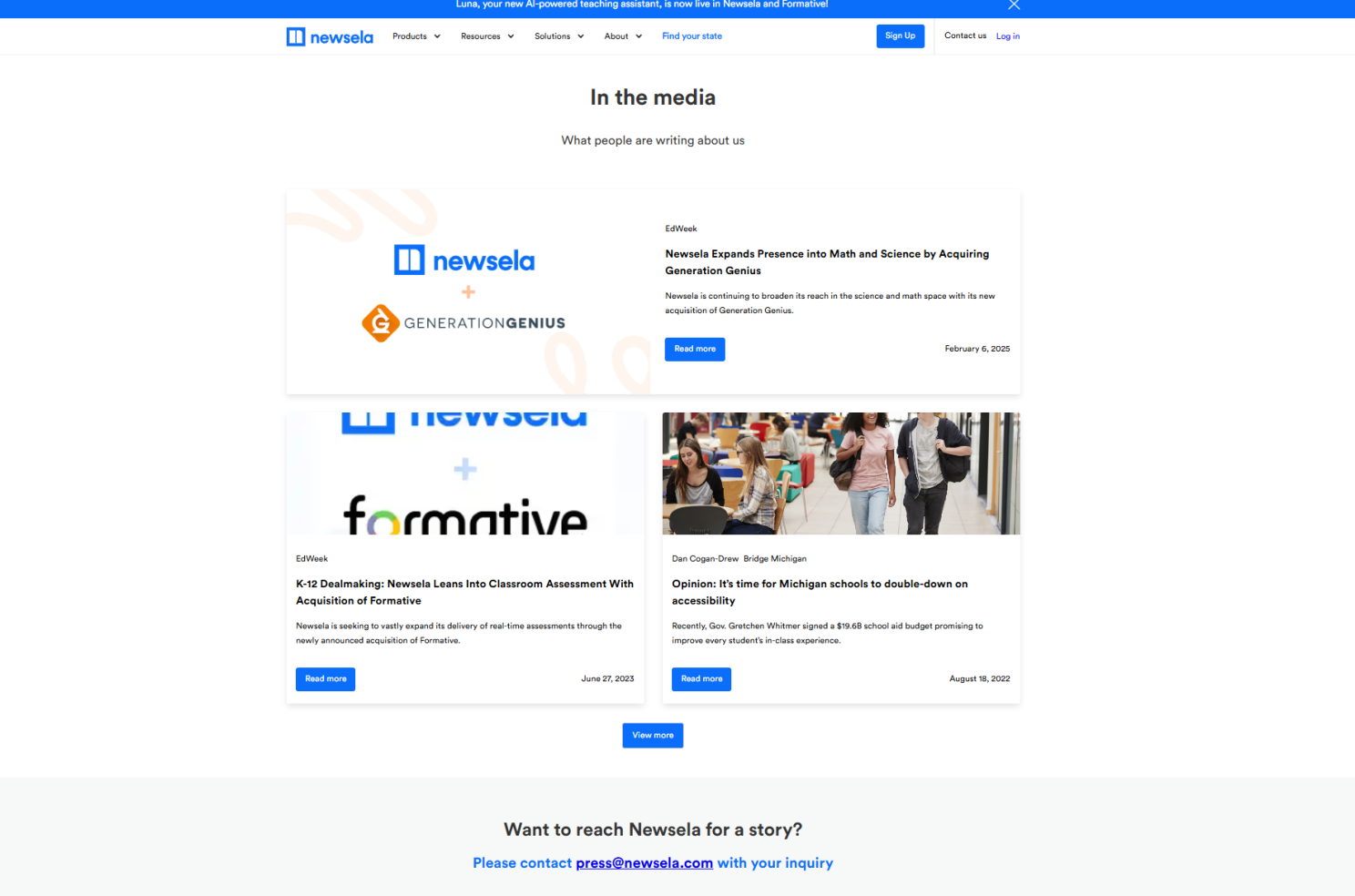
When the press release only consists of a combined list of press releases and news articles, this is a case of mixed purpose. I find what has happened here is that the motivation behind the page was to get SEO value and a showcase spot for news stories and awards. This is still important, just misplaced effort. To better get the SEO value, create an In The News page to list recent stories or better yet, find other places on the website to highlight awards wins and news articles. Put the logos (with links to the outside site featuring the product) on product pages, or the home page, or on the “About Us” page.
Level Two
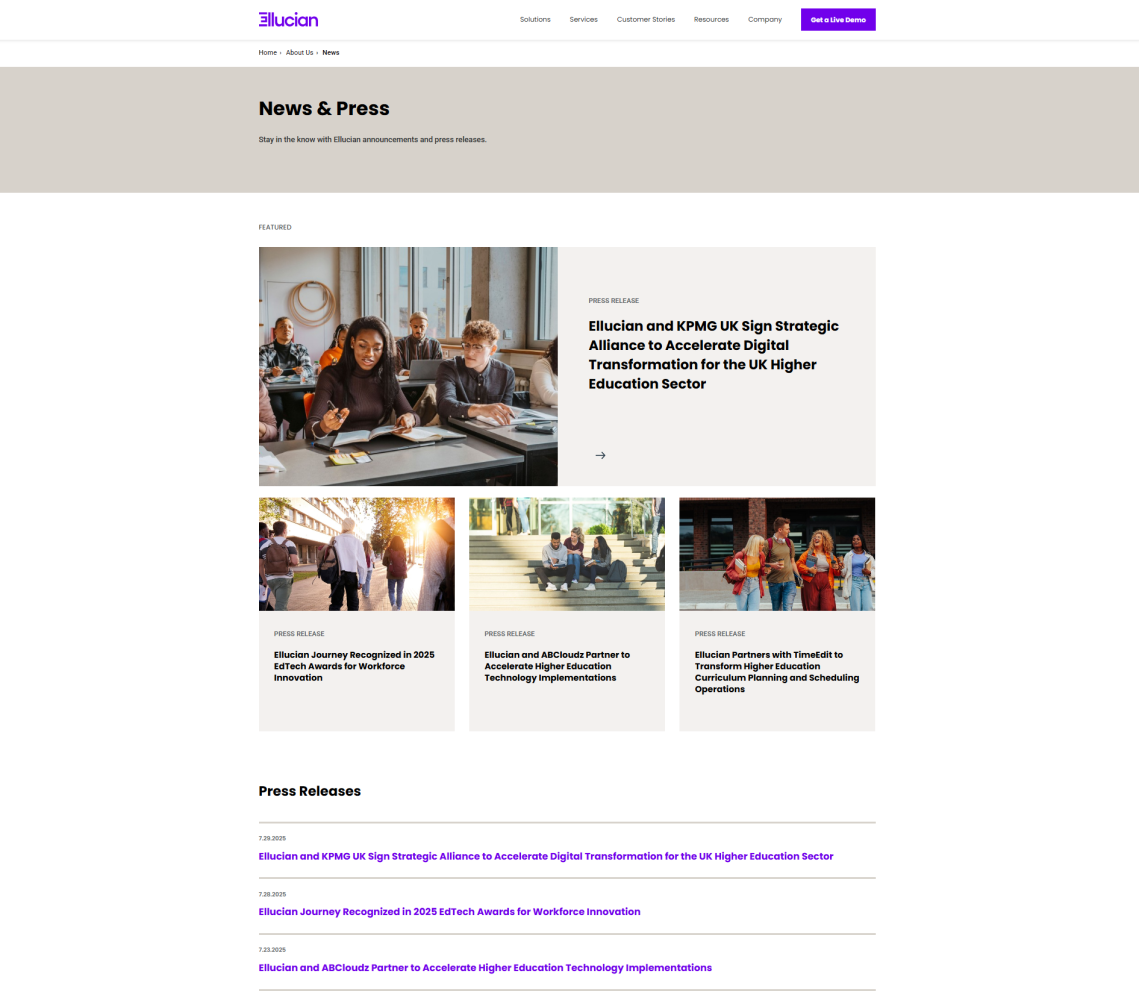
The Level Two press room includes all of the above plus assets like logos, images, links to case studies, backgrounders, demos, and other internal assets gathered together and organized. The Level Two room includes these assets but they are nothing different from anything else that could be found by an enterprising reporter scouring through a website. Rooms like this tend provide brand assets and guidelines alongside executive headshots, stock images, and logos. Overall, pages like this tend to feel more like a marketing tool than they do as being assets gathered specifically for media purposes.
Level Three
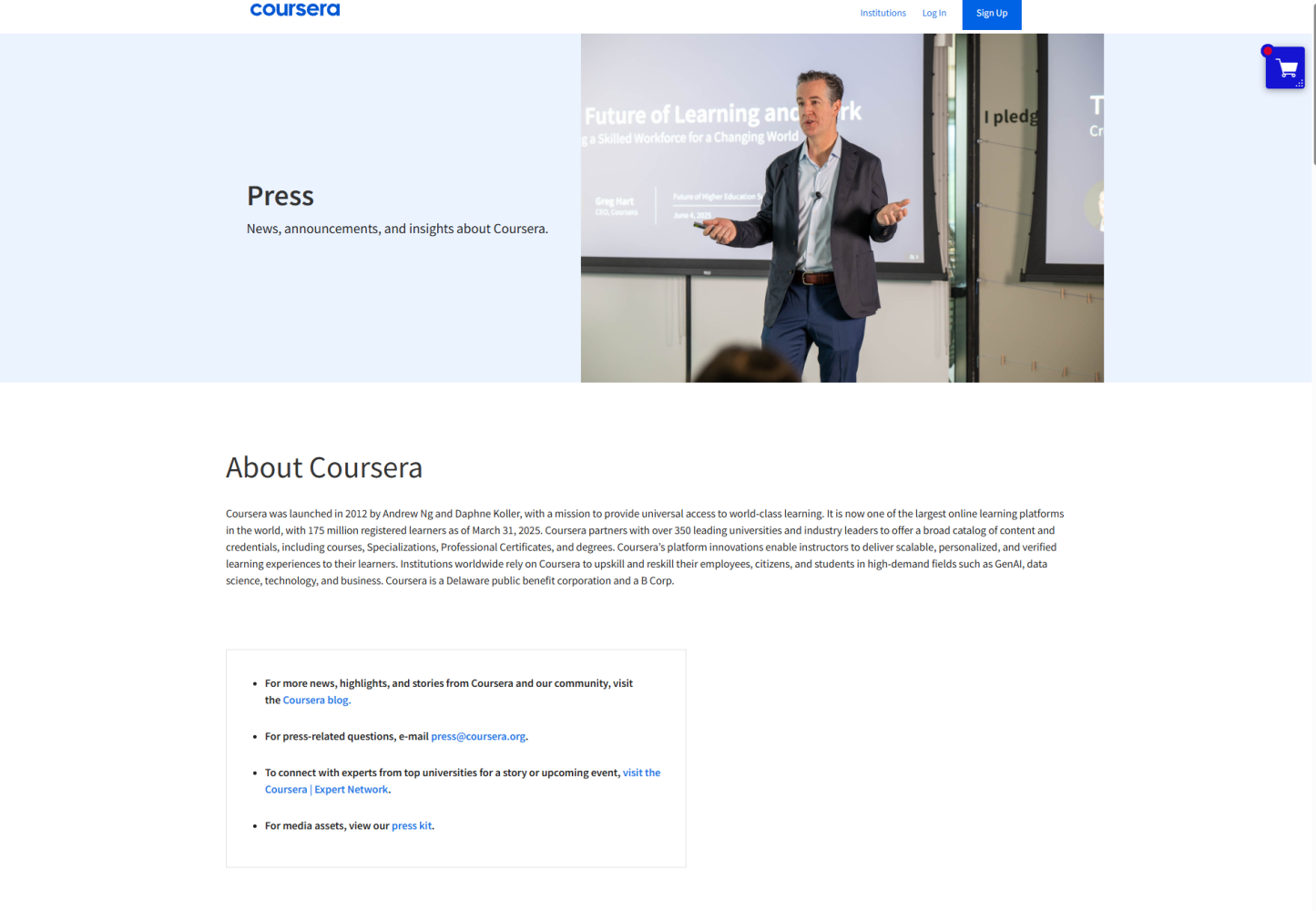
Level Three press rooms are much more helpful to the media. These include all of Level One and Level Two with the added concept of intention. These more useful press rooms feel like they are intended to assist reporters in gathering materials and information. Level Three rooms also include resources from outside sources including associations or research organization, data or links to data from government sources, and analyst reports.
In this example from Coursera, there are several assets that could help a reporter build a story. The internal content posted here is specifically for the media and on top of that, it is easy to navigate.
Level Four
Level Four press rooms are unicorns. These are the pages that might require login credentials because they include embargoed information, photographs and graphics, and accompanying captions. They also might follow trends and suggest story ideas. I’ve rarely seen a Level Four press room outside of government agencies or educational institutions.
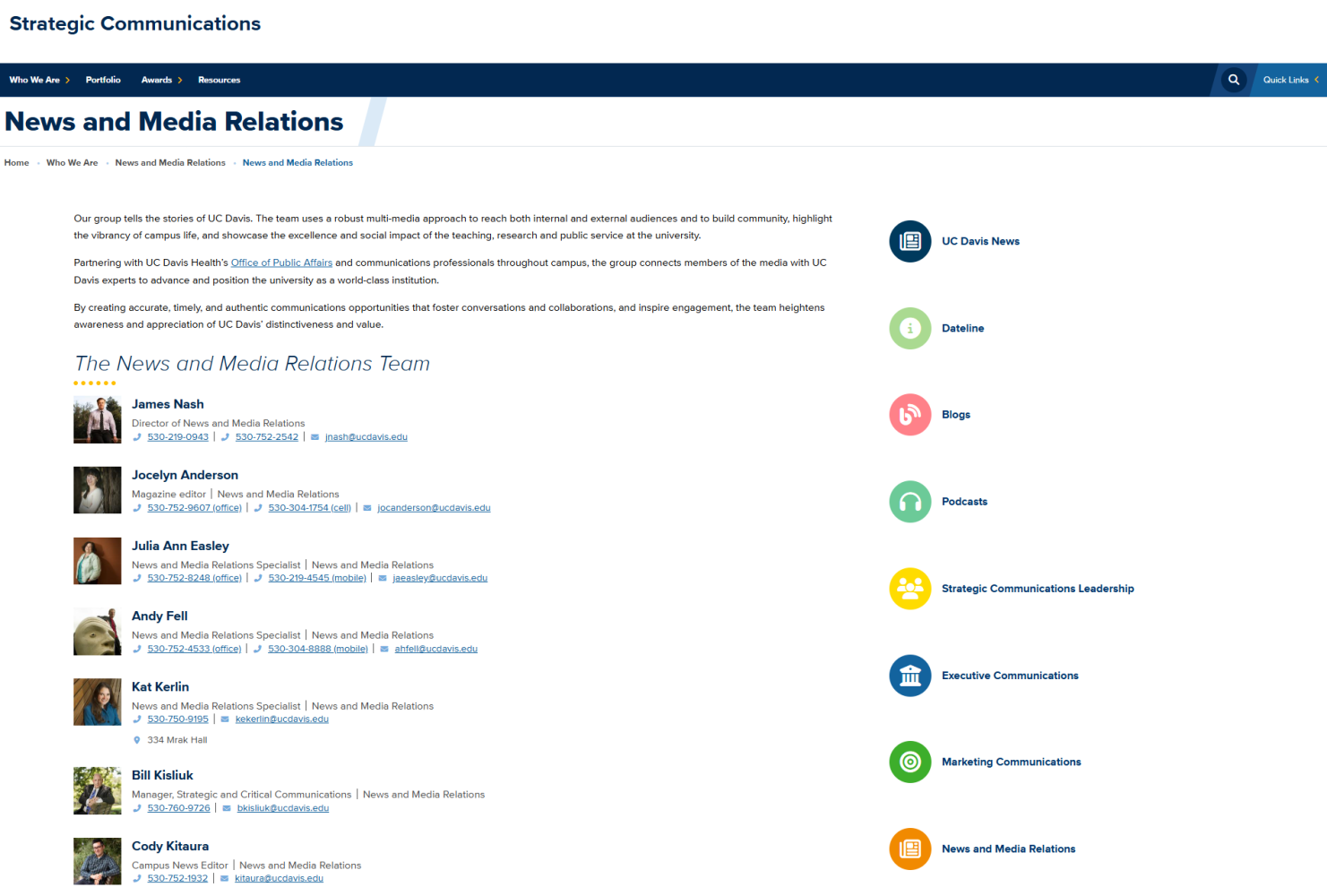
For the best examples, see university press rooms. Many are excellent for how they mix in information and assets about the university with a push strategy of the research and university sources available for stories. Here’s Harvard’s Media Room and the UC Davis Media Room.
All Press Rooms should have these essential elements
Press releases – Give the visitor the ability to quickly see the most recent press releases – by date. Keep no more than a half-dozen of the most recent and move the remainder behind a More button or accordion. I do not recommend automatically jumping out to the wire version of the press release (see my article on wire services). Instead, post press releases on your website on individual pages so that these pages can be linked to because the goal is to drive interest to the company’s website, not an external wire service. Additional links and assets that might not have been included in the press release can be added the the press release this way.
To do this really well, load a press release to its own page before it is out on the wire, and use that page in your embargos. We use Prezly for this and highly recommend it for managing company press releases and media contacts.
Links to articles about the company and products – List articles by title and outlet and link back to the original source. Don’t dominate the press room by listing every article. Show the most recent or most relevant/impressive and put the remainder behind a More button or an accordion. Don’t make this list dominate the media room. Remember that the media want assets. Seeing other outlets that have covered the story is not necessarily a plus.
Conversely, if the intent is to impress potential buyers, feature top articles by logo on the Home or About Us page.
Image assets like logo, photos, screen shots, b-roll and other branding materials – Post logos, executive headshots, product images, videos here, but don’t mistake branding materials for media assets. The media are not interested in using your logo with the right font and message personas. That belongs elsewhere.
To be even more helpful, include product photos showing the materials in use, not just posed stock photos. Write captions for every photo and include horizontal and vertical orientations, 300dpi high resolution images and a corresponding low-res version.
This is also a great spot to include infographics, visuals, and one-page check-off lists and assets that might be good additions to a story.
Contact form or contact information for the PR Team – It is best to have multiple ways for media to contact the PR team. Supply several emails to individuals or a dedicated email box like press@companyname.com. An on-page form or email box should go to more than one person, and each one should know the response protocol: Is one person responsible to reply and when are they responsible for monitoring the box? Be very specific here. UC Davis’ has a great example of an inviting, helpful contact us page.
If using a form in addition to requiring name, email, and publication/outlet. Make the phone number optional. Ask How can we help? and What is your deadline? on the form.
Company- and product-specific white papers, webinars, backgrounders, and internal data – More than likely these assets exist elsewhere, but they need to also be accessible from the press room. If research documents are behind a lead-capture page, remove that from the press room if at all possible.
Move a press room from Level Two to Three (or Four) with these additional assets
Expert sources – List internal sources including their areas of expertise, socials, thought leadership articles, journal articles, books, and links to interviews, presentations, and webinars. Include their images and how best to reach them. (Tip: Create profiles for these experts on Qwoted and match them up to story queries posted by reporters.)
Outside sources and reference materials – Find the associations, analysts, and data that help round out stories. Better yet, post new resources regularly and offer commentary “What this means” or other analysis. This is also a good way to pitch stories or cultivate relationships with the media. These analyses can first be used to pitch and then after a story has run (or if the pitches didn’t land), repurpose that content for the media room. Depending on the story, this kind of content can have a fairly long lifespan and might fit into stories several months into the future.
Expert analysis and “Emerging Trends” – To truly demonstrate having a pulse on trending stories, use the press room to suggest story ideas or to provide analysis on emerging trends. There is a dual purpose to this for company executives’ social properties (primarily LinkedIn). Apply the same idea to weekly or bi-weekly posts about those same trends. Share a relevant article or a piece of research and then add insight that no one else has. Try to refrain from promoting the company’s products but do link back to relevant company data and research. Posts like these, if they are strong, can also be pitched to selected reporters. If it constitutes a “hot tip,” consider if it might be worth holding it back from social posts to give a reporter a chance to consider the story.
It can be frustrating to be the lone PR person trying to make a press room come together at companies that don’t see the value of PR (or that have had poor results in PR). In those cases, focus on just getting a Level One room up, but organize it well. A simple list of press releases and articles are easy to maintain once the initial work of gathering the links is completed. After all, from my informal survey, 30 percent of companies don’t even have one, so you’ll already be ahead of the pack.
* I used AI to help me by generating a list of 25 press rooms for edtech companies, providing the URL and the company name. I reviewed each site myself and then did several more Google searches unaided by AI to find press rooms that would be helpful in this article. All analysis and writing was performed by me, not by AI.
This was originally published in PR in EdTech on LinkedIn on August 7, 2025.
Share This Story, Choose Your Platform!
Subscribe to receive tips
There are two ways to subscribe to our PR in EdTech newsletter:
- Subscribe on LinkedIn and see extra content like recent articles on Substacks, and what to do after an article lands in a publication.
- Subscribe via email to receive news earlier and with few more details not shared widely on the LinkedIn newsletter.